For the Make Sound Festival in Leicester 2015 I decided to convert the Asteroids Max for Live device into a real, physical arcade experience. The Arcade installation offers a 4-player mini arcade cabinet housing 4 x LaunchPad Mini Controllers provided by Novation all powered by the Isotonik Asteroids device. This is a custom version of the device that allows 4 LaunchPads to run at the same time on individual tracks. Arduino was used for the arcade buttons which also talk to the Max for Live device. A special thank you to Nick Hutchins who built the amazing cabinet.
Some images from the Make||Sound festival we held in Leicester. A week long exhibition at the High Cross featuring my Asteroids Installation, followed by a very special Ableton event with Dennis DeSantis, Mad Zach, Bandish Projekt, Ned Rush, Jesse Abayomi and Jon 1st.
Today Isotonik launched the Launchpad version is Asteroids, a Generative Arcade Sequencer based on the classic arcade game, asteroids move around an 8×8 grid triggering notes when they collide with each other.
Today Isotonik launched my Arcade Series; a bundle of Max for Live devices aimed at music performance and production, all inspired by retro arcade games.
The first release is Asteroids, a Generative Arcade Sequencer based on the classic arcade game, asteroids move around an 8×8 grid triggering notes when they collide with each other.
Advanced sequencing modes makes Asteroids a powerful sequencer for both experimental/generative melodic sequences or intricate/polyrhythmic drum patterns.
Asteroids in Standalone Mode (no control surface):
Had a great weekend at the Music Tech Fest at St Lukes, London. Was really impressed with Rebecca Fiebrink’s presentation on the Wekinator, really inspiring, check it out! Also a great live set by Lossy & Strangers Are People Too, stunning cinematic sound!
First in a series of game inspired sequencers built for Push, grab the first release for FREE
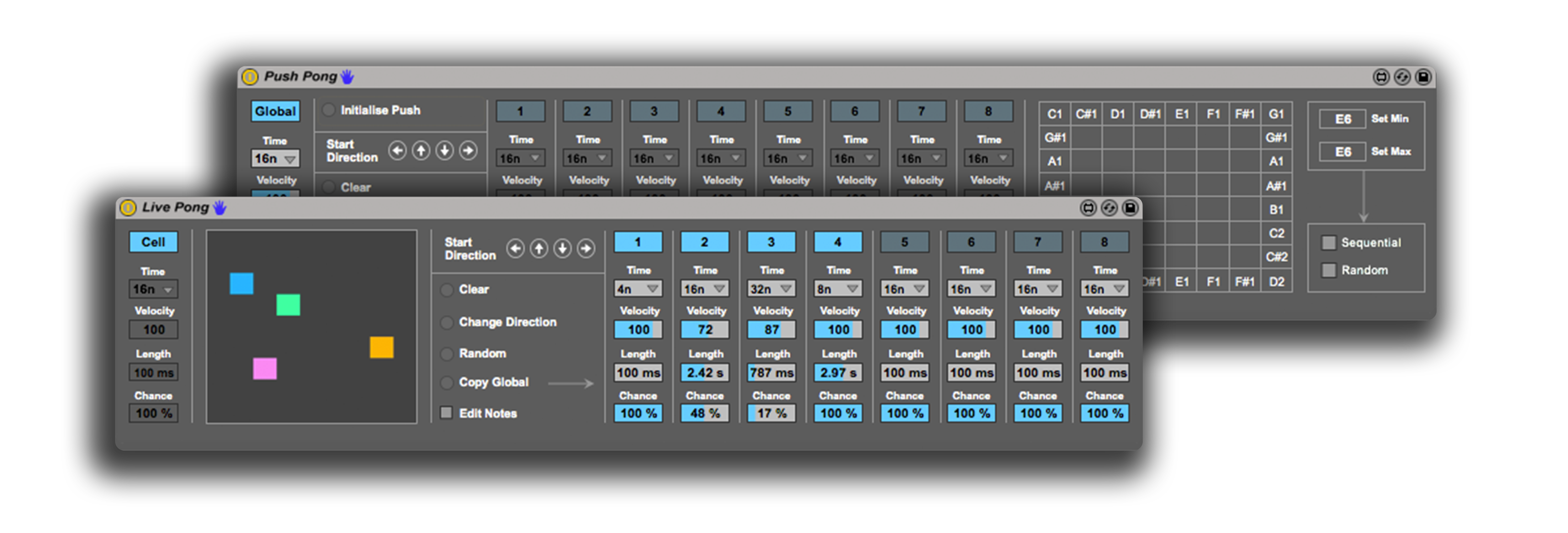
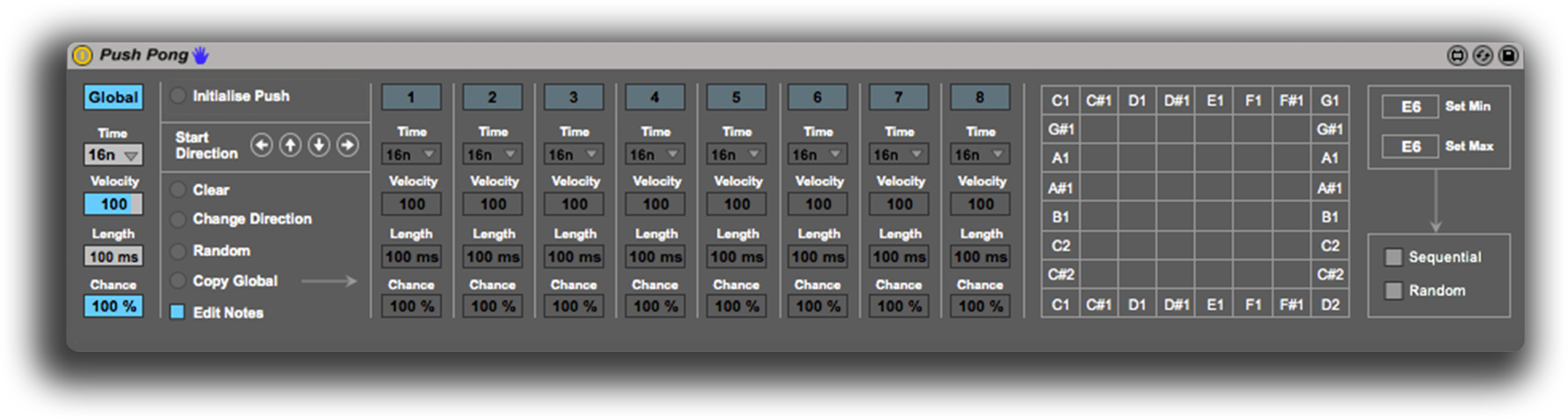
Push Pong is a generative sequencer built in Max for Live inspired by Batuhan Bozkurt’s excellent Otomata Generative Musical Sequencer. By pressing pads on Push when Live is running, cells are generated which will create notes whenever they reach the outer grid area on Push (top and bottom rows, left and right columns).
Specifications:
8×8 generative grid controlled by Push’s pads
Global mode for control of rate sync, note velocity and length, chance of cells bouncing
Cell mode for individual control per cell
Start direction control for new cells
MIDI note editor
Check the demo video:
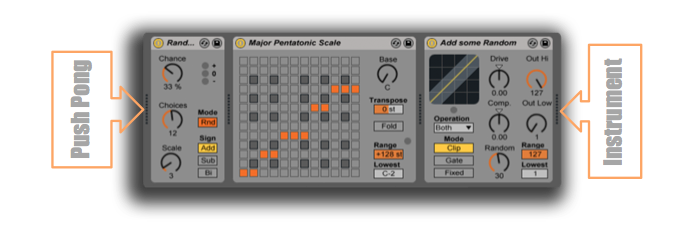
Push Pong has been designed to be used in conjunction with Live’s powerful MIDI effects. Although it is possible to create a scale via the editable note grid, you may wish to use the Scale MIDI Effect for a quick way to access a full collection of scale presets.
Use the Random MIDI Effects before Scale to allow for some variations in Pitch, by placing the effect before Scale, all note variations will still work within the selected scale.
Finally, try the Velocity MIDI Effect, I use the ‘Add some Random’ preset, which works great for creating variations in velocity, or how hard or soft the notes are triggered.
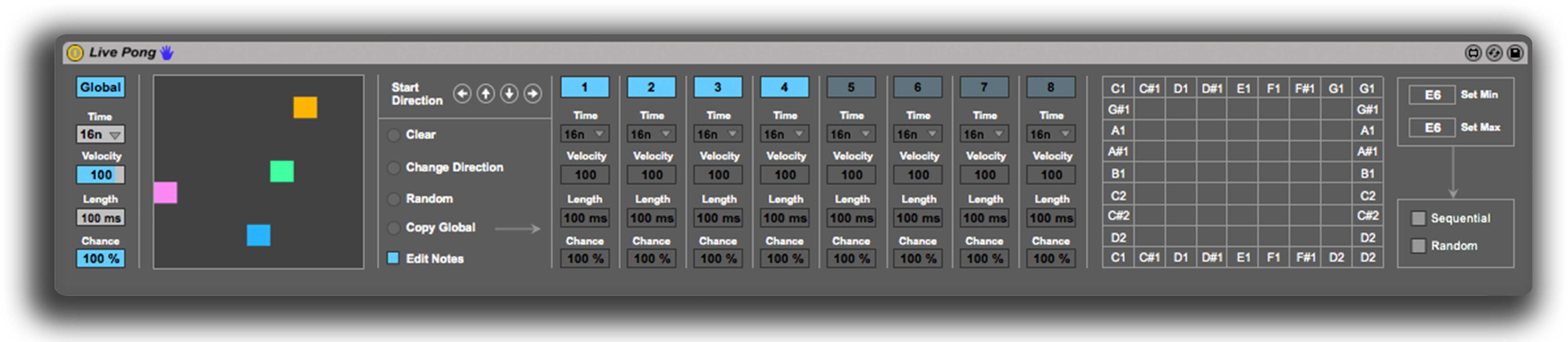
Live Pong
Push Pong was designed to be used with Push which has an 8×8 grid, because of the unique way Push Pong sequences notes, a step is missed every time the cell direction changes by hitting the outer grid area, this results in 7 step sequences. As a result of this, Live Pong was created with the extra step.
Specifications:
9×9 generative grid controlled by mouse/trackpad clicks
Global mode for control of rate sync, note velocity and length, chance of cells bouncing
I made this Max for Live device because I kept finding myself in situations with no MIDI controller to trigger clips and wanted something more like a launchpad but with my laptop keyboard, so it turns your MacBook Pro keyboard into a LaunchPad (kind of). Here’s a little video of it working:



 Mark Towers